Search, one search box
for everything you connect
Search indexes your CRM, mail, calendars, docs, issues, chat and meeting notes, ranks them by keyword and meaning, and docks an AI on the right that cites what it finds. It's a Forkable business, so you can fork it and run your own.
Try it on the Acme sample first. No account needed.
Searching HubSpot, Gmail, Notion, Linear, Slack and 6 more…
Ask about what you found. Every claim links back to the result it came from.
Answers come only from items Search found.
Sign-in and sources
come with the fork
Copying an app that reads Gmail or HubSpot used to mean an OAuth app per tool, tokens to store and refresh, a login and a consent screen to build. You make one Connect app, and every source Search indexes runs on each user's own grant.
 HubSpot
 Attio
Attio Gmail
Gmail Outlook
 Google Calendar
 Outlook Calendar
 Notion
 Linear
 Slack
Slack Teams
Teams Granola
Add any other tool in One
The eleven above ship built in. For anything else in One's 1,065 platforms, Settings turns it into a mapping profile without a line of code.
- 1
Pick a platform
Choose any tool in One's catalog from Settings, then the kinds of records you want.
- 2
It proposes a map
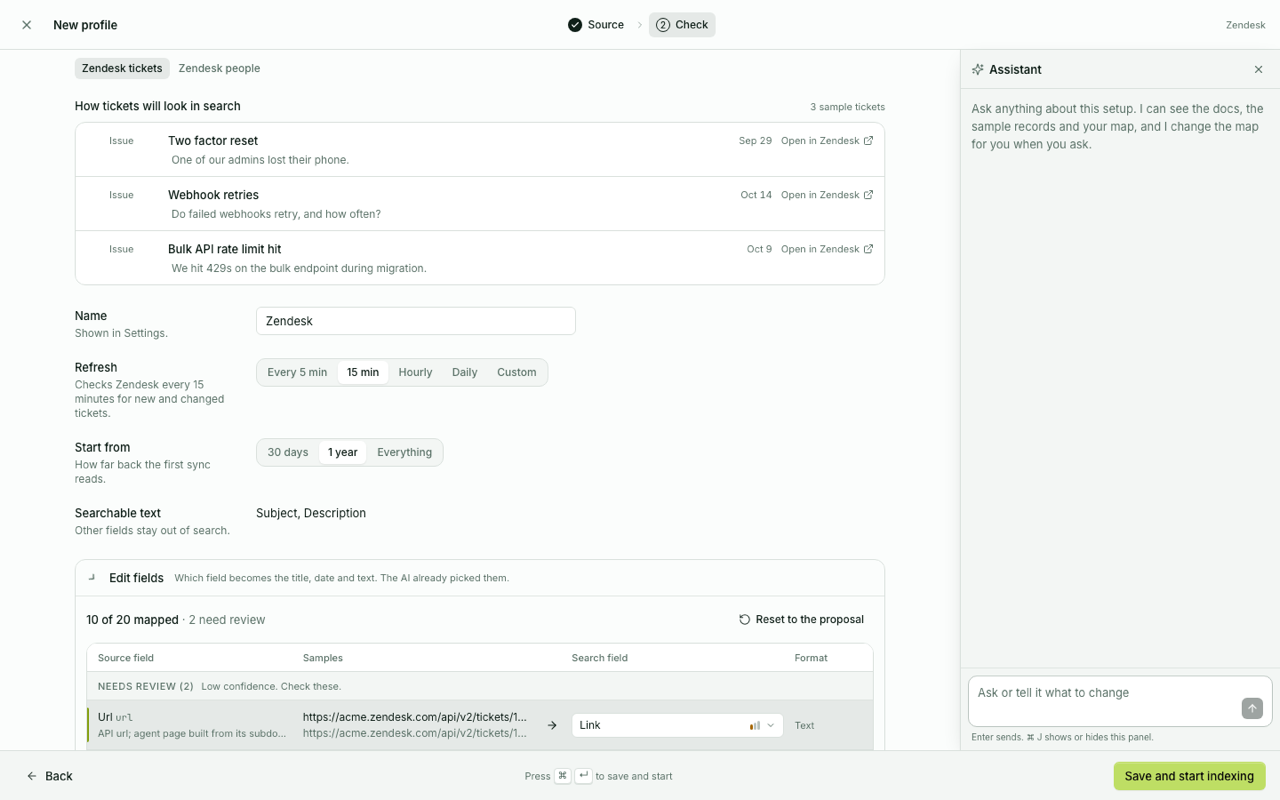
An AI reads the platform's docs and sample records and maps them to titles, dates and text.
- 3
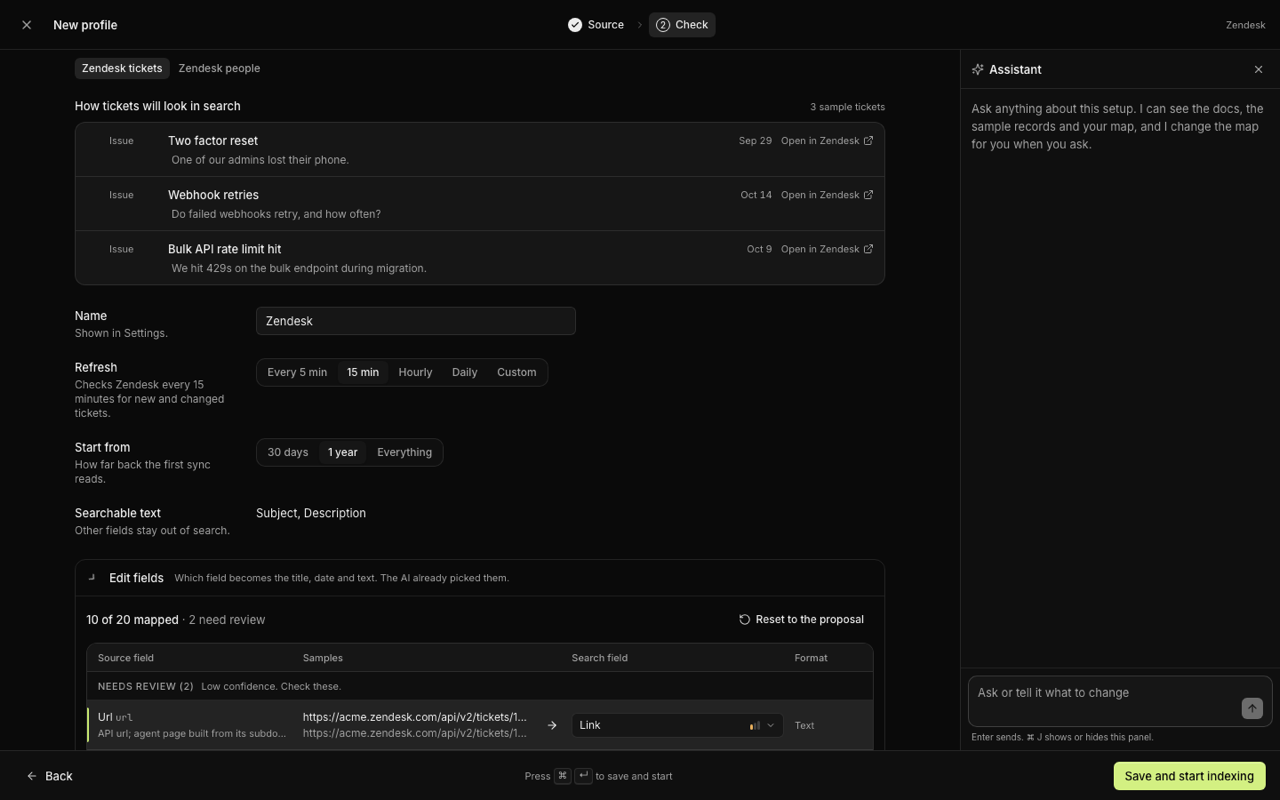
Check three samples
See real records as search results. Fix a field yourself, or ask the assistant beside it.
- 4
Indexing starts
Save and it syncs on its own schedule from then on. Export it as a file to share.
Profiles are files
Built-in profiles ship in the repo. Yours export and import, or go back as a PR.
No provider keys
Every sync, Jev judgment and embedding call runs on the signed-in user's own grant.
Jev classifies as it goes
Type, importance, and the people and companies a result belongs to, resolved on sync.
Keyword and meaning, one ranking
Embeddings are made through One, on your grant, not a shared key. Nothing is indexed anywhere outside the Postgres you point it at.
Exact names and vague descriptions
Postgres full-text search and pgvector embeddings blend into a single relevance score, so an exact name and a vague description both find the right row.
Local Postgres or Supabase
Run it on an embedded Postgres on your own machine, or point it at any Postgres connection string, Supabase included. Same schema, your choice of where it lives.
One person, one company
A HubSpot contact, an Attio person, a Gmail thread and a Granola note about the same person merge into one entity, matched by email, domain and a Jev check.
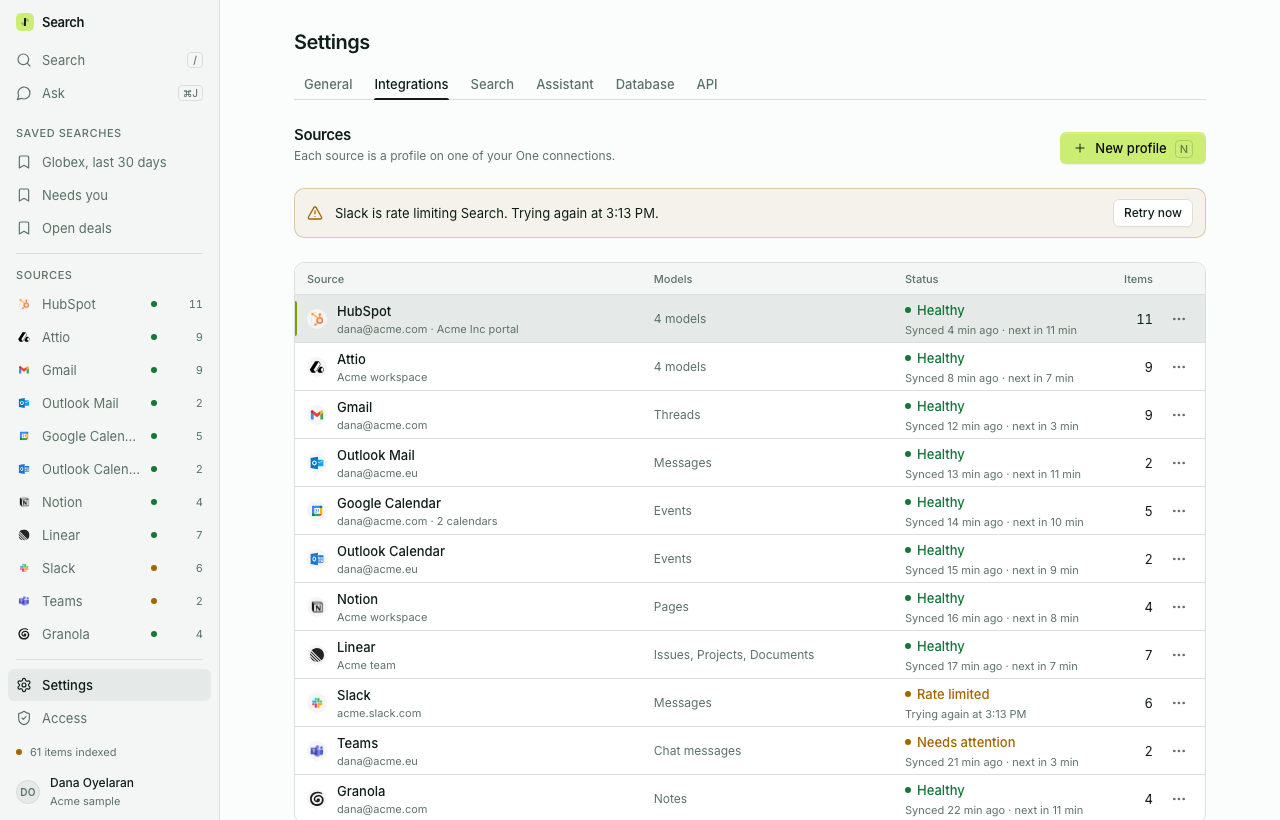
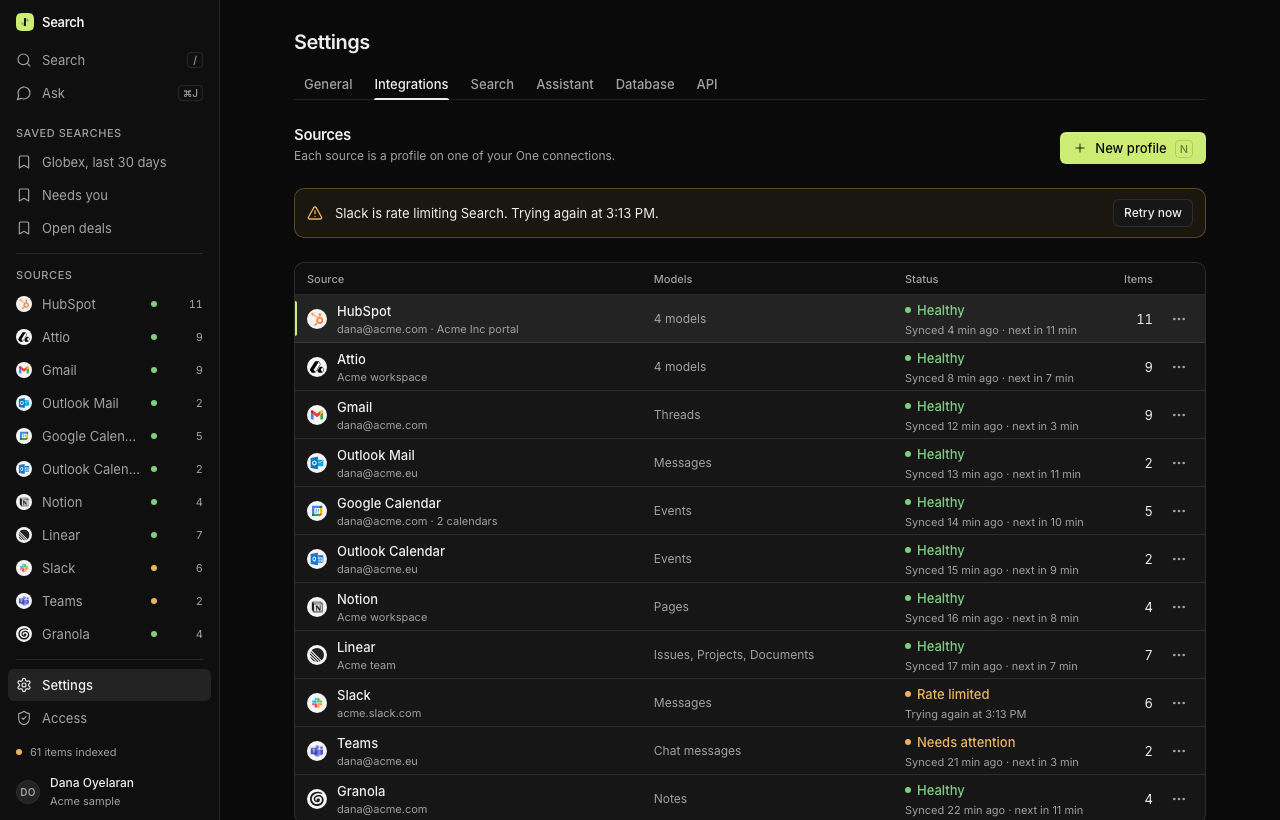
Each source syncs on its own schedule. Rate limits, retries and errors show up here, not as missing results.
It reasons, it cites, it refines
Press ⌘J and ask about what you found. The assistant reads the results, answers in a few sentences and points at its sources.
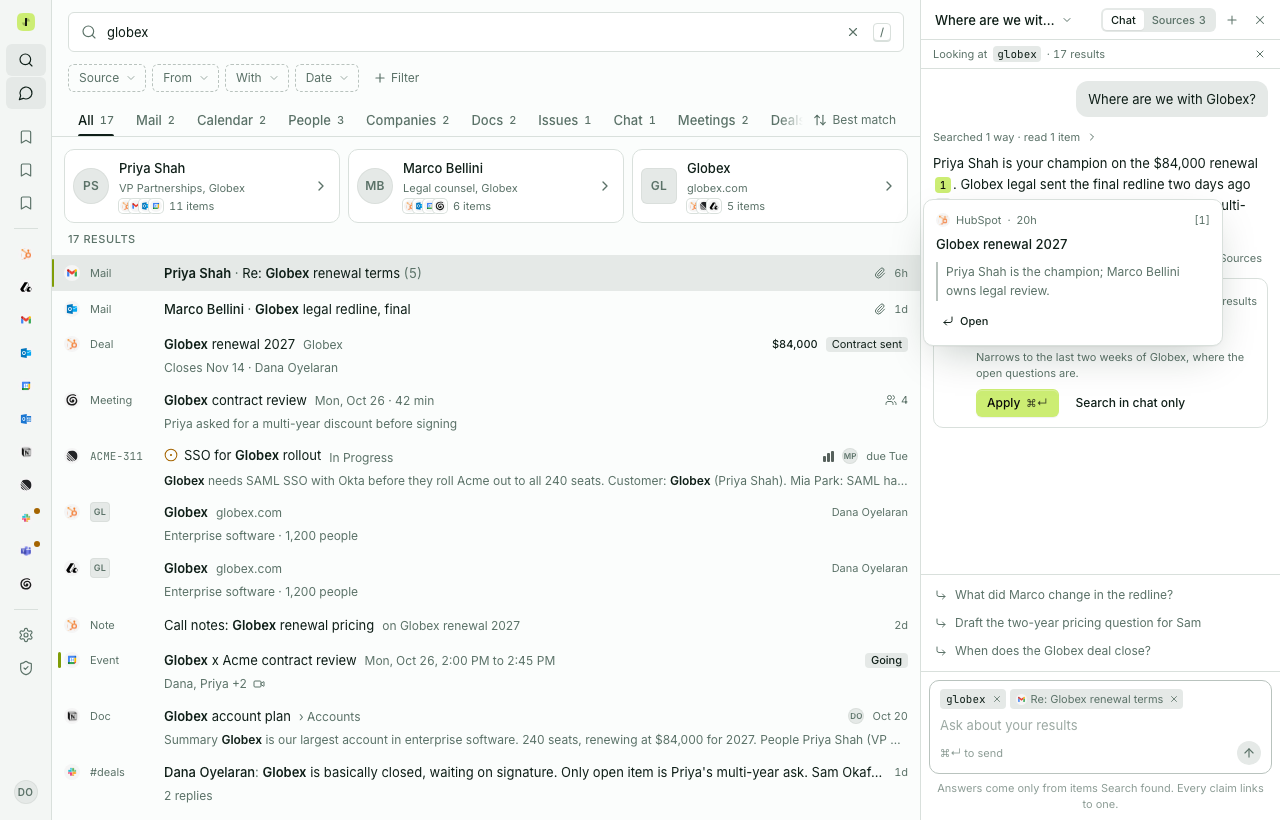
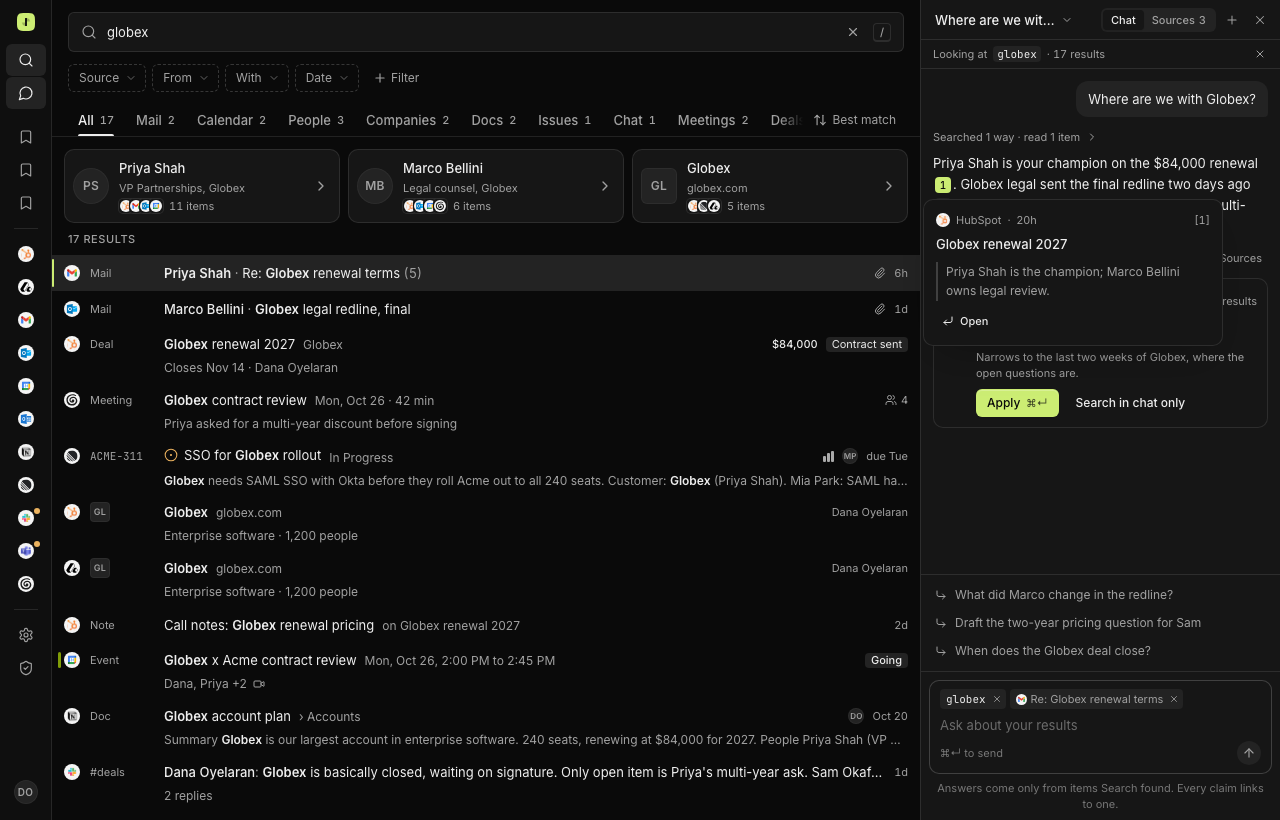
Every claim is numbered
Each number opens the row it came from, with the quote that backs it.
It can narrow the search
It proposes a tighter query. Apply it, or keep the question in the chat.
Only what Search found
No outside facts. If the results do not say it, the answer does not either.
Search it from anywhere
The web app, a CLI, a REST API and an MCP server all read the same index, each behind the signed-in user's own grant.
CLI
Query from a terminal with the same operators and ranking as the app. Scriptable, with --json.
$ search "priya globex contract"API
A REST API behind OAuth. Your own tools and scripts query the same index your sign-in sees.
GET /api/v1/search?q=priya+globexMCP
An MCP server with OAuth, Sign in with One behind it. Point Claude Code, Codex or Claude Desktop at it and ask.
$ search mcp-config --client claude-codeQuestions people ask
What does Search actually index?
Whatever you connect: HubSpot, Attio, Gmail, Outlook Mail, Google Calendar, Outlook Calendar, Notion, Linear, Slack, Teams and Granola ship as built-in profiles. Settings can turn any other tool in One into a profile too.
Does it read my data, or just index it?
It stores a hybrid-searchable copy of what each profile is told to index, scoped to your own Connect grant. Nothing is sent anywhere outside the Postgres you point it at.
Can I use Supabase instead of a local database?
Yes. Search runs on an embedded local Postgres by default, or any Postgres connection string, Supabase included. Same schema either way.
What if a tool I use isn't in the list?
Add it from Settings. Pick the platform from One's catalog, Search proposes a mapping profile, you confirm the fields and schedule, and indexing starts as soon as you save.
How does the AI panel avoid making things up?
It only reasons over the rows your search actually returned, and every answer cites which of those rows it used. Narrowing the question narrows the search behind it.
Fork it and
make it yours
One line gives you the whole working app, its agents and the code, running on your computer. Start on the Acme sample, then sign in with One and connect your own tools.
- Sign in with One, already wired
- Eleven sources built in, any other tool addable
- Hybrid keyword and semantic search
- Open source, MIT licensed
Secured by One. Each user connects their own accounts and can revoke them any time.